Keeps Teams & Slack available
Keep your Mac and PC awake
No sleep. No "away" status.
Mouse Jiggler makes small, configurable cursor movements to prevent sleep and screen lock.
It also helps avoid automatic "away" status in apps like Microsoft Teams and Slack.
Compatible with:
macOS
Windows
No subscription · One-time purchase
Download first · Activate with a license key after purchase
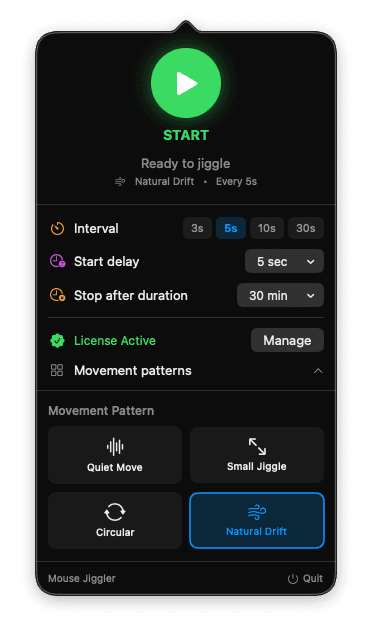
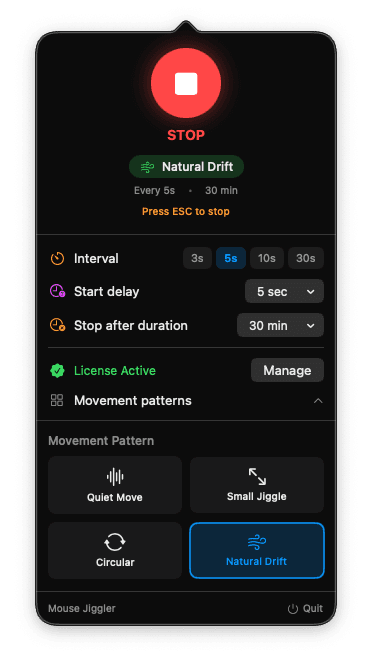


Stops Mac & PC sleep
Runs quietly in background
How it works
Steps
Download
Download and install Mouse Jiggler on your Mac or PC.
Purchase
Get a lifetime license from the website.
Activate
Enter the license key sent to your email and start using all features.
Simple pricing
One-time payment. Lifetime access. No subscriptions.
Lifetime License
$5.99USD
One-time payment
- macOS & Windows included
- Free lifetime updates
- Instant download
- No subscription ever
- Email support
Secure payment via LemonSqueezy
Questions?
Here are the answers you're looking for.
Mouse Jiggler keeps your computer active by generating small, configurable cursor movements. This prevents sleep mode, screen lock, and automatic "away" status while you're still at your desk — especially in apps like Microsoft Teams and Slack.
Mouse Jiggler works in three simple steps:
1. Download the app and install it on your Mac or PC.
2. Purchase a lifetime license from the website.
3. Activate the app by entering the license key sent to your email.
Yes. By keeping your computer active, Mouse Jiggler helps prevent apps like Microsoft Teams and Slack from automatically switching your status to "Away" when you're still working or present.
No. Mouse Jiggler is designed to run quietly in the background. You can choose between different movement patterns, from very subtle to more visible, depending on your preference.
Yes. Mouse Jiggler runs entirely on your computer. It does not collect data, track activity, or send any information to external servers.
Yes. Mouse Jiggler works independently of VPN connections and remote desktop tools. Since it keeps your system active locally, it continues to work even during remote sessions.
No. Mouse Jiggler is a one-time purchase with lifetime access. There are no subscriptions, recurring payments, or hidden fees.