01
Four natural movement patterns
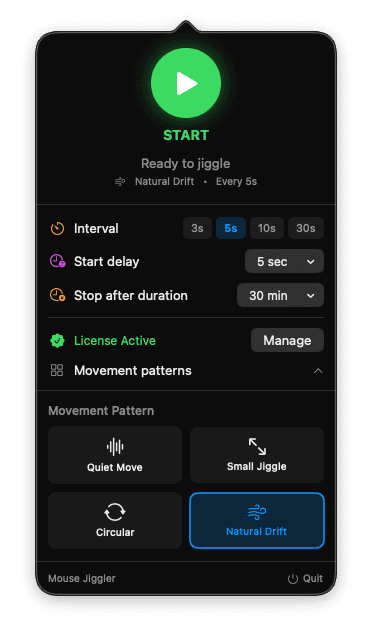
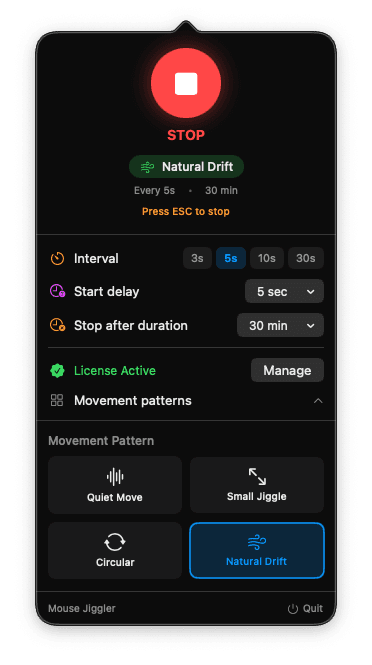
Choose a quiet drift, a gentle pulse, a small jiggle, or a circular movement for the session in front of you.
Prevent unwanted sleep and screen locks during downloads, builds, presentations, remote sessions, and video calls. Configure a subtle movement, start when needed, and stop anytime.
Secure checkout · License key delivered by email
The Mac DMG and the Windows installer are free. The license is what you pay for, after the app is installed.


Built for the moments that should not time out
Jiggle Mouse is a focused desktop app, not a browser tab or a background service you have to think about. Set the behavior that fits your session, then let it stay out of the way.
Session control
Start and stop on your terms
Choose a quiet drift, a gentle pulse, a small jiggle, or a circular movement for the session in front of you.
Set the cadence you want, schedule a session, or stop quickly with a keyboard shortcut.
Auto-start after inactivity and auto-stop on activity give you control without leaving a setting running longer than needed.
A purpose-built menu bar or system tray experience for macOS and Windows, not a browser tab pretending to be an app.
Private by design
Jiggle Mouse is designed to do one local job: create the cursor movement you choose. It is not an activity-monitoring product.
Read the privacy detailsNo telemetry about how you work or when you use the app.
Never reads your files, screen, clipboard, or keystrokes.
Network access is limited to license activation and product updates.
Why a dedicated app
Free alternatives can be useful. Jiggle Mouse is for people who value a polished local experience, clear ownership, and continued refinement.
Steps
Download and install the free Mac or Windows installer.
Get your lifetime license through secure checkout.
Enter the license key sent to your email and start using all features.
Jiggle Mouse is a lightweight mouse jiggler that prevents your screen from locking and keeps your computer awake. Stay active on Teams, Slack, or any platform — Jiggle Mouse handles it quietly in the background. Also known as a mouse mover, mouse wiggler, or keep-awake app.
One-time payment, lifetime access, free updates.
Direct Download
For one computer
$6.99
1 device · One-time payment · Lifetime license
Direct Download
For your work setup
$11.99
2 devices · One-time payment · Lifetime license
Secure payment via Lemon Squeezy
Here are the answers you’re looking for.